Your prompt describes what you want.
The problem is the model is also making a few hundred decisions you didn't ask for. Skin like polished plastic. A sixth finger on the hand holding the product. Fake gibberish text on the label. A soft-focus glow nobody requested.
Every one of those is a default - the thing the model reaches for when you leave a gap.
Negative prompting is how you close those gaps. It's the fence that keeps the output inside the territory you actually defined.
This is my full negative prompt list - 60+ terms sorted by the exact failure they fix, one universal copy-paste string, and by-ad-type add-ons. Steal the whole thing.
Let's build the fence.
What Is Negative Prompting?
Negative prompting is the practice of listing what you don't want in an image - plastic skin, extra fingers, render quality, fake text - so the model excludes its default choices instead of defaulting into them. In most tools these are "no -" terms placed at the end of the prompt.
Here's the mental shift: a positive prompt paints the image. A negative prompt erases everything the model would sneak in when you weren't looking.
You need both.
Why Your Prompt Needs a Fence
There's a reason a prompt without negatives underperforms one with them, and it has a name. I call it The Default Gap:
The Default Gap: every detail you don't specify, the model fills with its own default - and its defaults are smoother, more symmetrical, more "perfect," and less real than anything you'd actually choose. Negative prompting closes the gap by naming the defaults and forbidding them.
Think about what that means in practice.
You didn't ask for plastic skin. But you also didn't say no plastic skin - so the model, trained on a mountain of over-retouched images, gave you plastic skin. The gap got filled with the average of the internet, and the average of the internet is fake.
Positive terms tell the model your intent. Negative terms remove its reflexes. The space between the two is where the real image lives.
The 3 Areas of Negative Prompting
Negatives sort into three jobs. Every realistic ad prompt should pull from all three.
Area 1: The Exclusion Protocol
These keep the output inside the photographic category - no drifting toward render, illustration, or stock. Use at least three of these in every realistic prompt.
The model defaults to 3D-render quality when subjects are polished, environments are clean, or lighting is even. Push it back:
no CGI, no 3D render, no 3D illustration, no game engine rendering,
no unreal engine, not computer generated, no digital art, not rendered
When your prompt describes attractive people, dramatic light, or fantasy-adjacent scenes, it drifts toward illustration. Block it:
no illustration, no painting, no concept art, no cartoon, no anime,
no manga, no comic book style, not a drawing
And the sneakiest one - stock-photo blandness. AI trained on stock produces stiff poses and fake smiles:
no stock photo look, no staged stock photography, no fake smile,
not posed, no generic lifestyle
Area 2: Output Cleaning
These fix the specific things that break in the frame, no matter how good the rest of the prompt is.
Hands are the number one AI failure point - this group earns its place in every prompt with a person in it:
no extra fingers, no deformed hands, no fused fingers, no missing fingers,
no extra limbs, no distorted body proportions, no floating limbs
Faces and skin - where the uncanny valley lives:
no plastic skin, no airbrushing, no over-smoothed skin, no uncanny valley,
no perfect symmetry, no mannequin quality, no wax figure look
Text artifacts - that illegible gibberish AI writes on labels and signs:
no text in image, no watermark, no logo, no illegible text,
no fake lettering, no label text artifacts, no signature
Backgrounds - where merged objects and impossible geometry hide:
no background artifacts, no merged objects, no impossible geometry,
no floating objects, no duplicate elements, no background distortion
Area 3: Style Contamination
The subtlest failure: an aesthetic you never asked for bleeding into the image. A painterly quality, an Instagram filter, an oversaturated palette from the wrong reference pile. These protect the look you built everywhere else.
no painterly quality, no soft focus filter, no Instagram filter,
no HDR over-processing, no oversaturation, no fantasy lighting,
no magic glow, no lens flare unless specified
Era and finish contamination - note the "unless intentional" flags, so you don't block a look you actually want:
no vintage filter, no film burn, no sepia tone (unless intentional),
no retro aesthetic (unless intentional)no overpolished result, no overly perfect surfaces, no hyperreal sharpness,
no artificial detail, no beauty filterNote
The Universal Negative Prompt
Here's the one you actually came for.
This is the baseline string - one exclusion from each of the ten categories above. Save it once, paste it at the end of every realistic prompt as your starting point:
no CGI, no 3D render, no illustration, no cartoon, no anime, no plastic
skin, no airbrushing, no perfect symmetry, no extra fingers, no deformed
hands, no watermark, no text in image, no logo, no background artifacts,
no fantasy lighting, no oversaturation, no overpolished result
It costs almost no prompt space and shields you against the ten most common failure modes at once. This is the string that belongs in Slot 7 of the seven-slot prompt structure.
Negative Prompts by Ad Type
Start with the universal string above, then bolt on the extras for your specific ad.
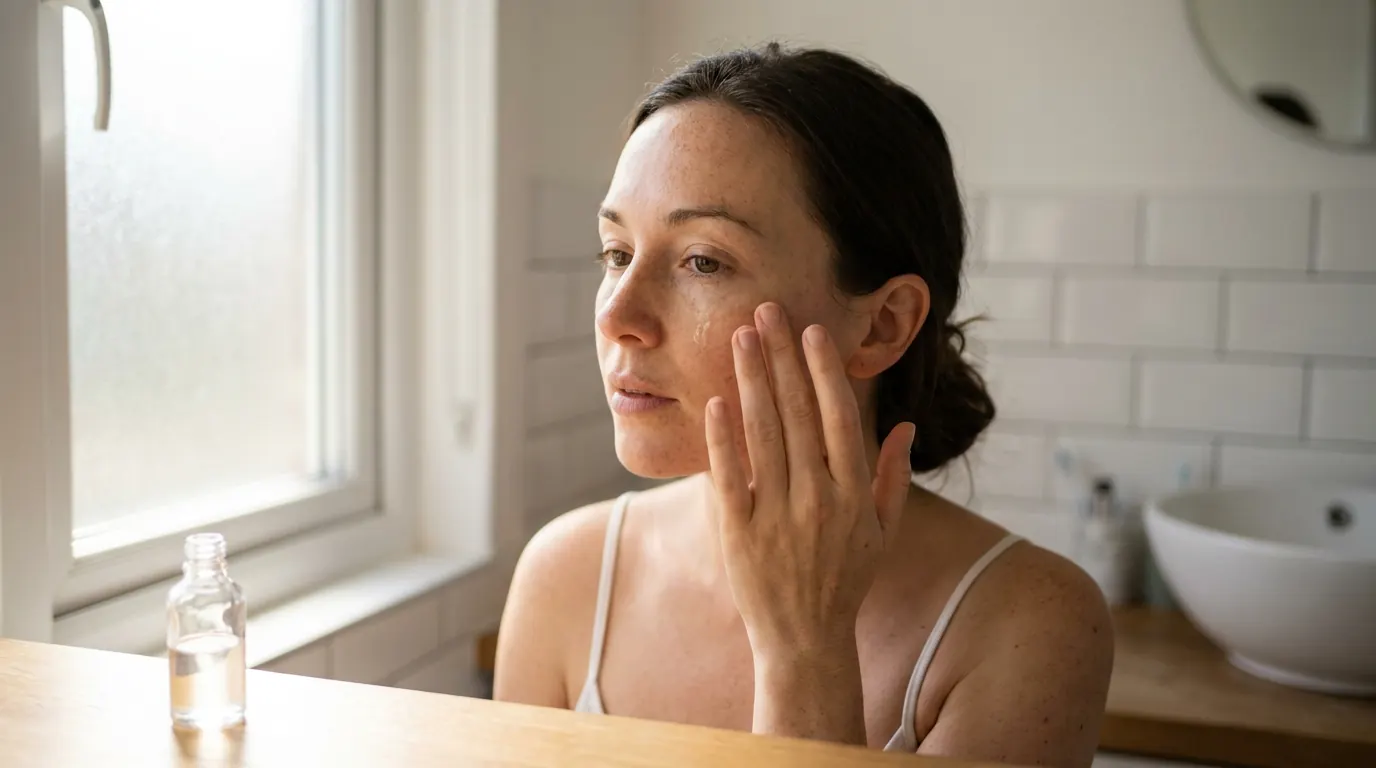
Skincare & beauty UGC - add:
no flawless skin, no beauty filter, no fake smile, no stock photo look,
no studio perfection
Fitness & performance - add:
no stock photo athlete, no posed gym shot, no fake effort,
no impossibly perfect body, no game engine muscle rendering
Luxury & premium product - add:
no cheap render, no stock background, no floating product,
no label text artifacts, no generic marble texture
Lifestyle & domestic - add:
no showroom staging, no perfect interior, no stock lifestyle,
no fake family, no generic home
See This? Add These.
The fastest way to use negatives is reactively - you spot a failure, you know the fix. Here's the lookup:
| What broke in your image | Add these negatives |
|---|---|
| Skin looks like plastic | no plastic skin, no airbrushing, no beauty filter |
| Hands are mangled | no extra fingers, no deformed hands, no fused fingers |
| Gibberish text on labels | no text in image, no label text artifacts, no fake lettering |
| Looks like a video-game render | no CGI, no 3D render, no game engine rendering |
| Too glossy / oversaturated | no HDR over-processing, no oversaturation, no overpolished result |
| Stiff, fake, stocky feel | no stock photo look, no fake smile, not posed |
| Weird floating background objects | no background artifacts, no floating objects, no merged objects |
Skin looks like plastic
Add these negatives
no plastic skin, no airbrushing, no beauty filterHands are mangled
Add these negatives
no extra fingers, no deformed hands, no fused fingersGibberish text on labels
Add these negatives
no text in image, no label text artifacts, no fake letteringLooks like a video-game render
Add these negatives
no CGI, no 3D render, no game engine renderingToo glossy / oversaturated
Add these negatives
no HDR over-processing, no oversaturation, no overpolished resultStiff, fake, stocky feel
Add these negatives
no stock photo look, no fake smile, not posedWeird floating background objects
Add these negatives
no background artifacts, no floating objects, no merged objects
With vs Without: The Proof
Same base prompt both times: a woman in her early 30s holding a skincare product, soft window light.
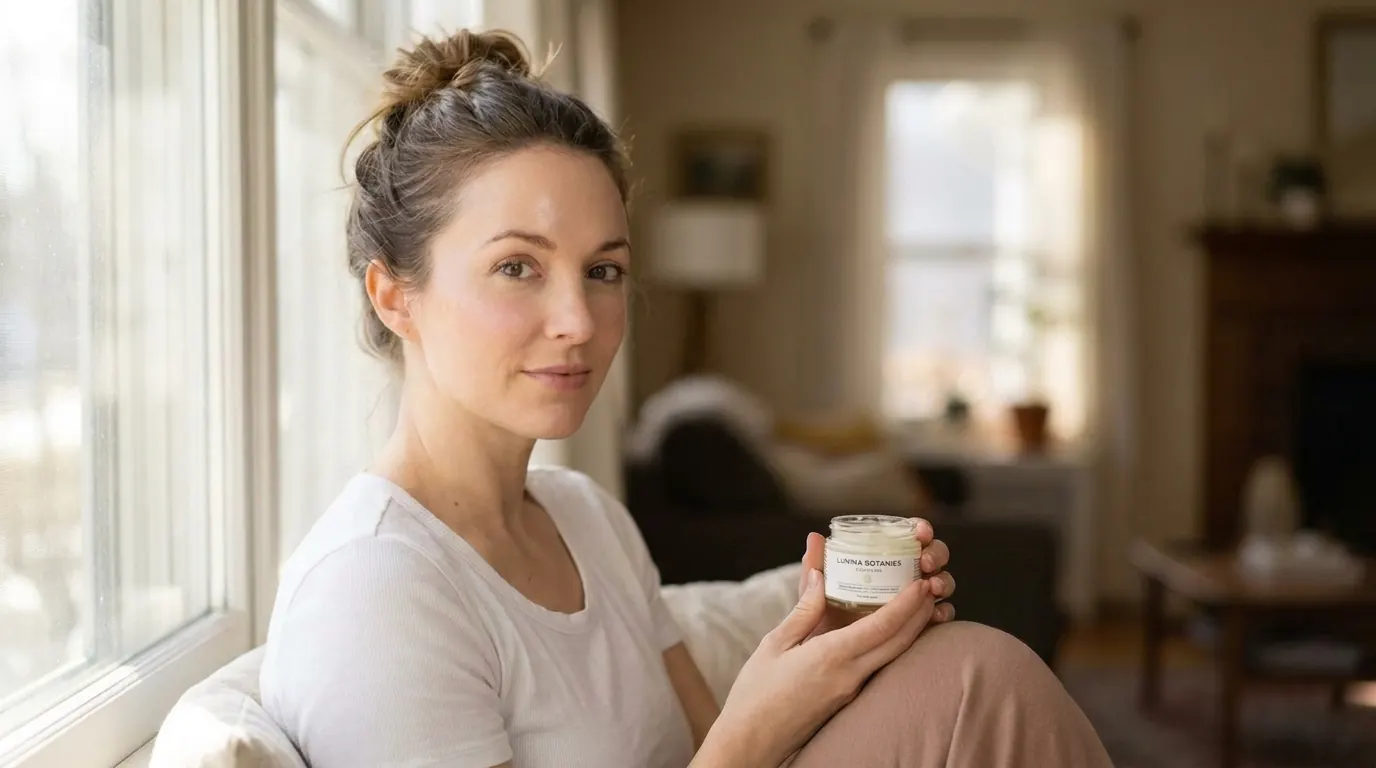
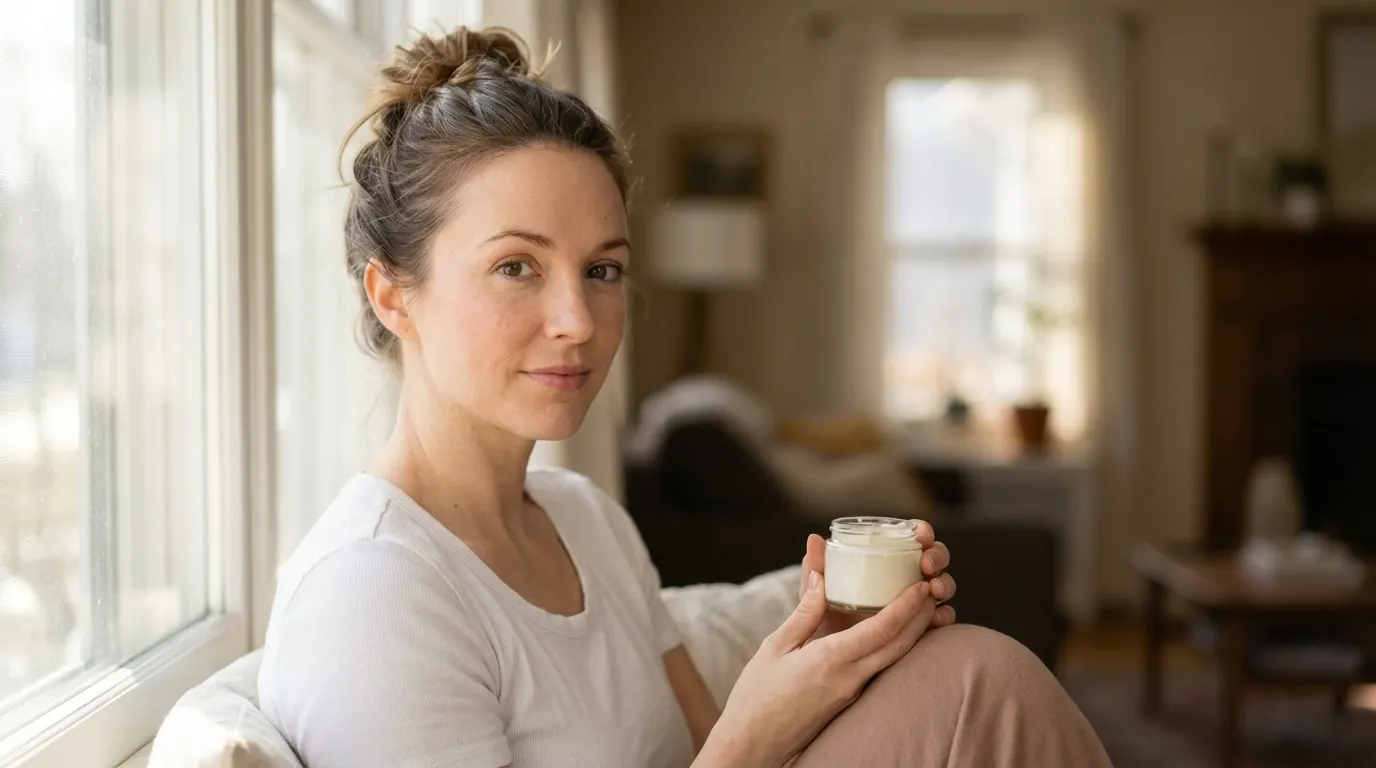
No negative prompt: mostly good - but the skin is slightly over-smoothed, the hand has faintly odd proportions, and the label shows illegible fake text. The model made its default choices in the gaps you left.
With the full negative prompt: natural skin texture. Believable hand proportions. The label area comes back clean instead of stuffed with fake letters. The model did what you asked - not what it defaults to.
Same positive prompt. The only difference is the fence.
Pro Tip
Conclusion: Name the Defaults, Forbid Them
Four things to lock in:
1. The Default Gap is real. Anything you don't specify, the model fills with its own reflexes - and those reflexes trend fake. Negatives close the gap.
2. Pull from all three areas. Category (Exclusion Protocol), artifacts (Output Cleaning), and stray aesthetics (Style Contamination). Miss one and it's the one that breaks your image.
3. Save the universal string once. Ten categories, one line, paste it into every prompt. Then add the by-ad-type extras.
4. Use it reactively too. Spot the failure, grab the matching negatives from the lookup table, regenerate. Faster than rewriting the whole prompt.
So here's the move: take your current best-performing AI ad prompt and add the universal negative string to the end. Run it. My bet is the hands get better and the skin stops looking retouched on the first try - and you'll wonder why you were fixing that stuff in post.
Steal my ad concept & hook library
Every prompt, archetype, and hook I use in my own accounts. Updated weekly.
Join the free Skool community